top of page
LIBRARY

GOVERNMENT ENGINEERING COLLEGE-GODHRA
1. Visit https://www.onos.gov.in.
2. Click on User Registration tab (as shown below).

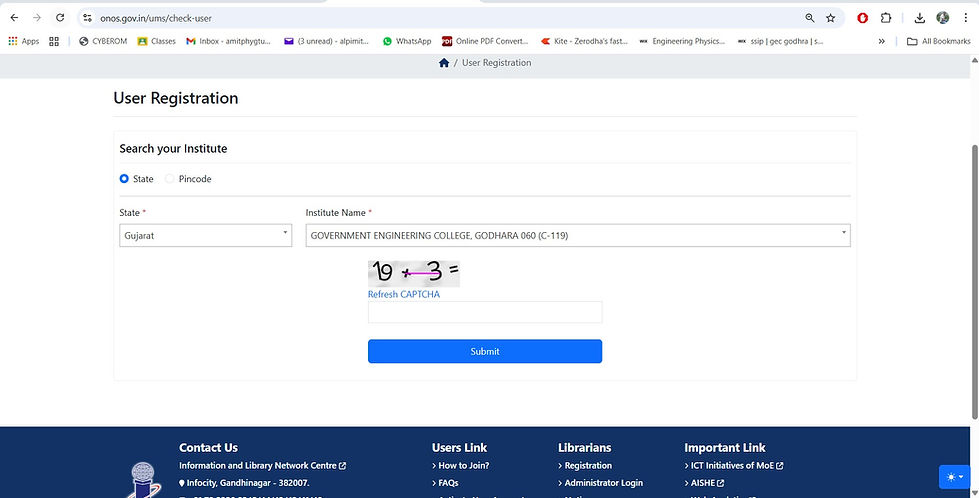
3. You will see the page as shown below.
4. Select the state and Institute from the drop-down menu.
5. Enter the correct CAPTCHA.
6. Click on the SUBMIT button.
7. Pop up window of congratulation will be shown on your screen. (as shown below).
7. You will see the page as shown below.
8. Fillup all the detail and click the SUBMIT button.

9. Confirmation your successful registration will be sent to your email/mobile.
bottom of page